Example: branded executive Word report
Goal: a short Word document for leadership with your logo and colours: totals, services and tag compliance, without per-resource tables.
You need: read-only credentials and a logo as a PNG, JPEG, GIF or BMP file. Word cannot embed SVG logos.
Template
Put the logo next to the template, in the same folder or a subfolder:
Project layout
.inventag/templates/
  board-report.yaml
  brand/
    acme-logo.png
.inventag/templates/board-report.yaml
format_version: 1
kind: report
name: board-report
description: Branded summary for the leadership team
extends: executive-summary
spec:
  title: Cloud Estate Summary
  subtitle: Quarterly review
  company_name: Acme Ltd
  logo: brand/acme-logo.png
  logo_alt_text: Acme Ltd logo        # read by screen readers
  colors:
    header_fill: "4B2E83"             # 10.4:1 contrast with white text
  tag_policy: security-baseline
  word:
    orientation: landscape
Command
Terminal
inventag templates validate board-report
inventag --template board-report --create-word --account-regions us-east-1
Output
Terminal
OK ~/acme-infra/.inventag/templates/board-report.yaml (report 'board-report')
Terminal
inventag - WARNING -   - No account specification method provided. Using default AWS credentials.
Wrote bom_output/tag_compliance_20261112_090000.json
Wrote bom_output/multi_account_bom_20261112_090000.docx
Tag policy 'security-baseline': 1 of 22 resources compliant (4.5%), 21 non-compliant, 14 out of scope.
Document outline:
- Cloud Estate Summary (title)
- Summary
- Resources by service
- Tag compliance
- Required tags
- Non-compliant resources
- About this report
A table from the document:
| Tag key | Rule | Missing | Invalid value |
|---|---|---|---|
| Owner | Any value | 18 | 0 |
| Environment | One of: prod, staging, dev, test, sandbox (an... | 18 | 1 |
| DataClassification | One of: public, internal, confidential, restr... | 21 | 0 |
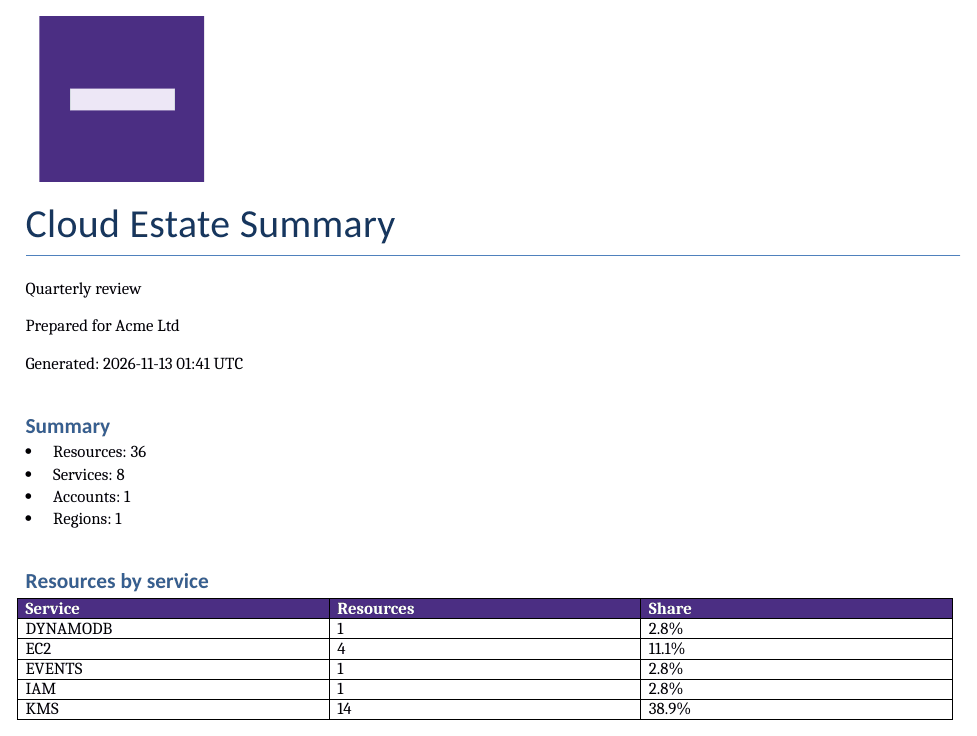
Download the sample Word report (38 KB, sample data)
If the logo is missing, or is not an image Word supports, the run stops before scanning:
Terminal
inventag - ERROR - Template problem:
inventag - ERROR -   ~/acme-infra/.inventag/templates/board-report.yaml:10: spec.logo: logo file not found: ~/acme-infra/.inventag/templates/brand/acme-logo.png
$ echo $?
1
Next steps
- Keep colours readable: pick a header colour with a contrast ratio of at least 4.5:1 against the header text.
- Add the full inventory as an Excel file:
inventag --template board-report --create-word --create-excel.